 Cueline
The teleprompter that
follows your voice.
Read your script while looking straight at the camera. Every word lights up as you say it. Pause and Cueline waits; go off script and it catches up. In Hindi, Marathi, English and 50+ languages.
₹599 one-time · 7-day free trial · No account, no ads, no subscription
Everything you need to sound natural on camera
No more fighting a fixed scroll speed or losing your place. Cueline keeps pace with you, however you speak.
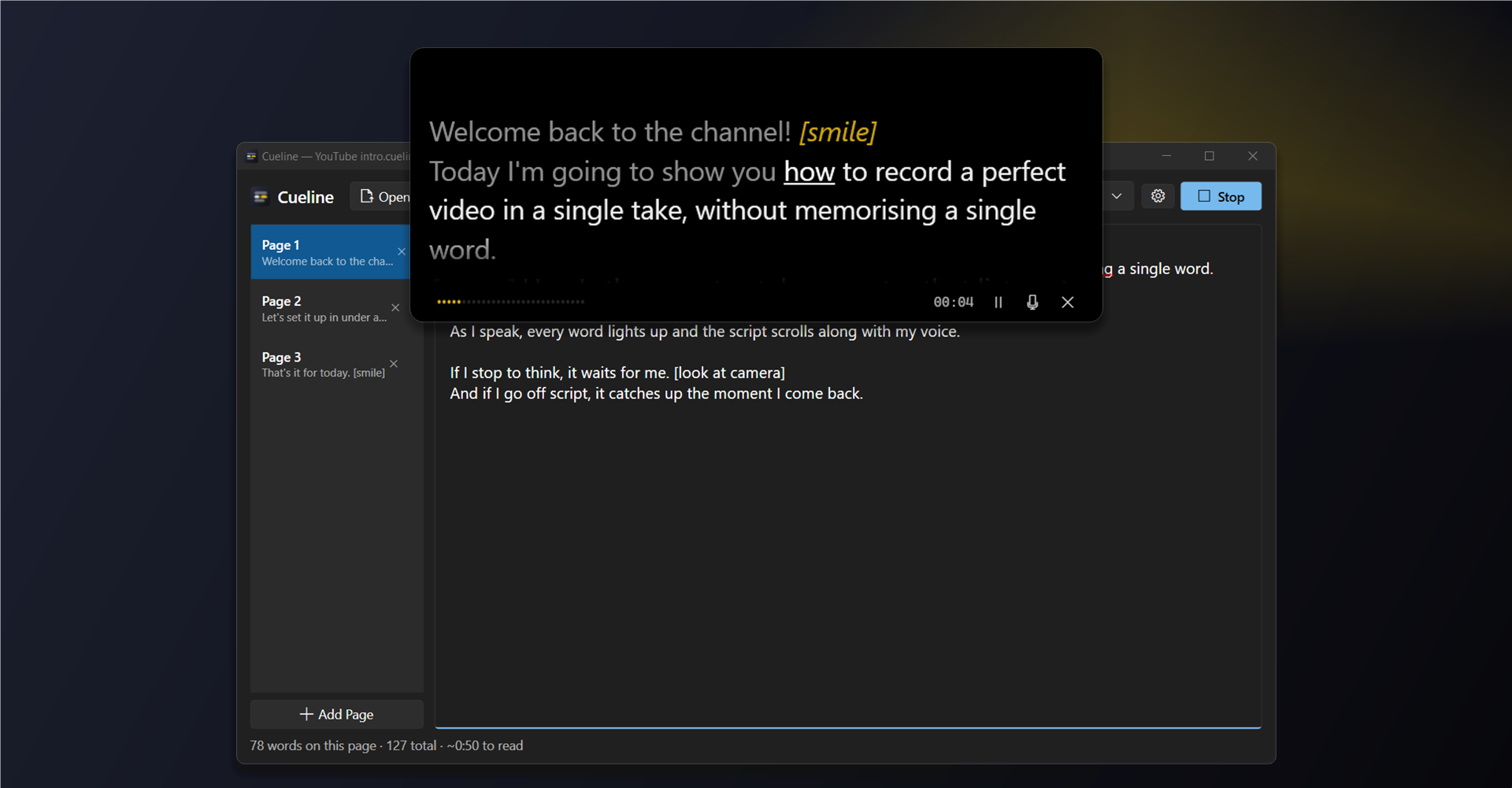
Follows your voice
Word Tracking highlights each word as you say it and scrolls along. Pause, and it waits. Ad-lib, and it catches up when you return.
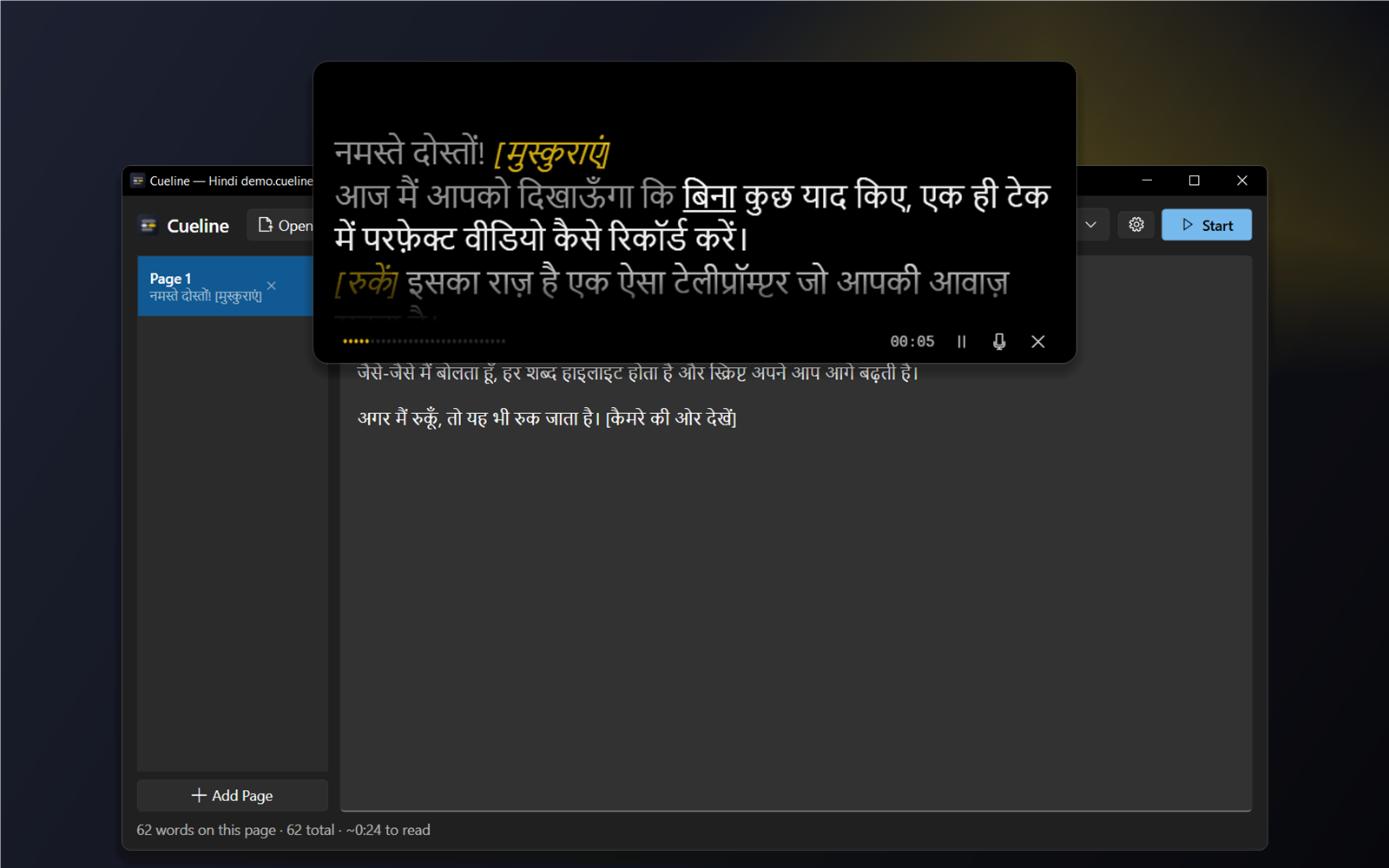
Speak your language
Hindi, Marathi, Tamil, Telugu, Bengali, Gujarati, Kannada, Malayalam, Punjabi, Urdu, English and more. Switch in one click.
Real eye contact
The prompter sits right under your webcam, so you look at your audience, not at your notes.
Invisible on calls
Hidden from Zoom, Teams, Google Meet, OBS and screen recordings. Only you can see your script.
Pages & PowerPoint
Split long scripts into pages, import PowerPoint speaker notes, and mark cues like [pause] or [smile].
Phone, tablet & director
Read on a phone or tablet by scanning a QR code, or let a producer edit the script live from a browser.
Made for Indian languages
Write your script in your own script. Cueline understands how people really speak: spelling variants like ज़/ज, words the recogniser runs together, and Indian digits.
Built for the way you present
YouTube & courses
Record clean takes in one go. Use a page per segment and Ctrl+Alt+PgDn between takes.
Zoom, Teams & Meet
Deliver pitches, demos and updates while looking at people. Your notes stay hidden when you share your screen.
PowerPoint presentations
Open a .pptx and every slide's speaker notes become a page, ready to read.
Stage & podium
Fullscreen on a laptop or confidence monitor, or on a tablet on the lectern over Wi-Fi.
Live streaming
A floating window under your camera, hidden from OBS and Streamlabs capture.
Studios & glass rigs
Mirrored output for teleprompter glass, with a director editing the script live.
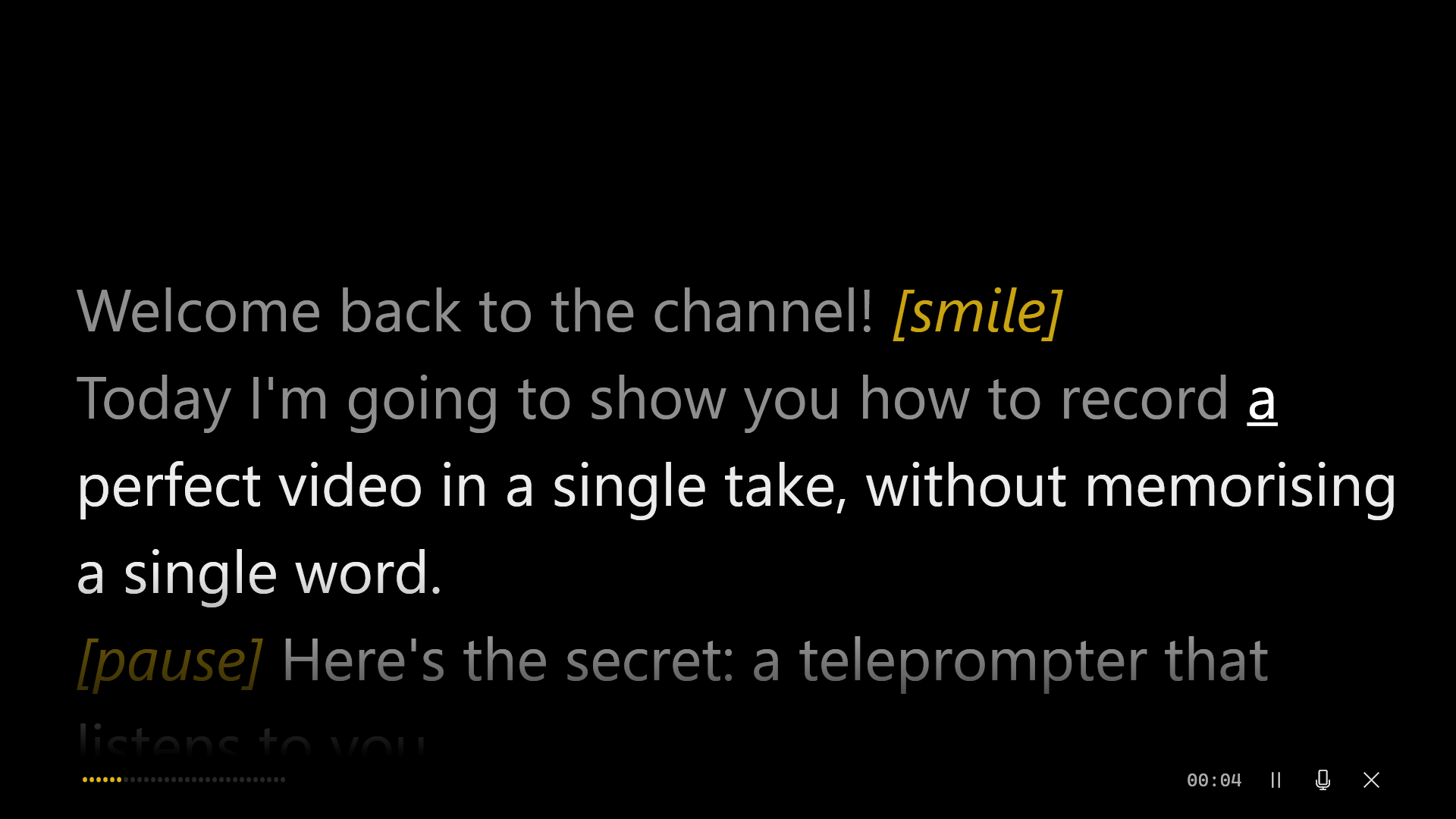
Big screens and teleprompter glass
Go fullscreen on any display, send a second copy to an external monitor, or flip it horizontally or vertically for a beam-splitter rig. Text size, colours and reading position are all yours to set.
- Pinned under the webcam, floating, or fullscreen
- Mirrored external display for teleprompter glass
- Dyslexia-friendly font option
Your phone becomes a prompter
Turn on Remote, scan the QR code, and any phone, tablet or smart TV on the same Wi-Fi shows the live script. No app to install. Need someone else in control? Director mode lets a producer write, edit and start the read from a browser while you speak.
How Remote and Director work →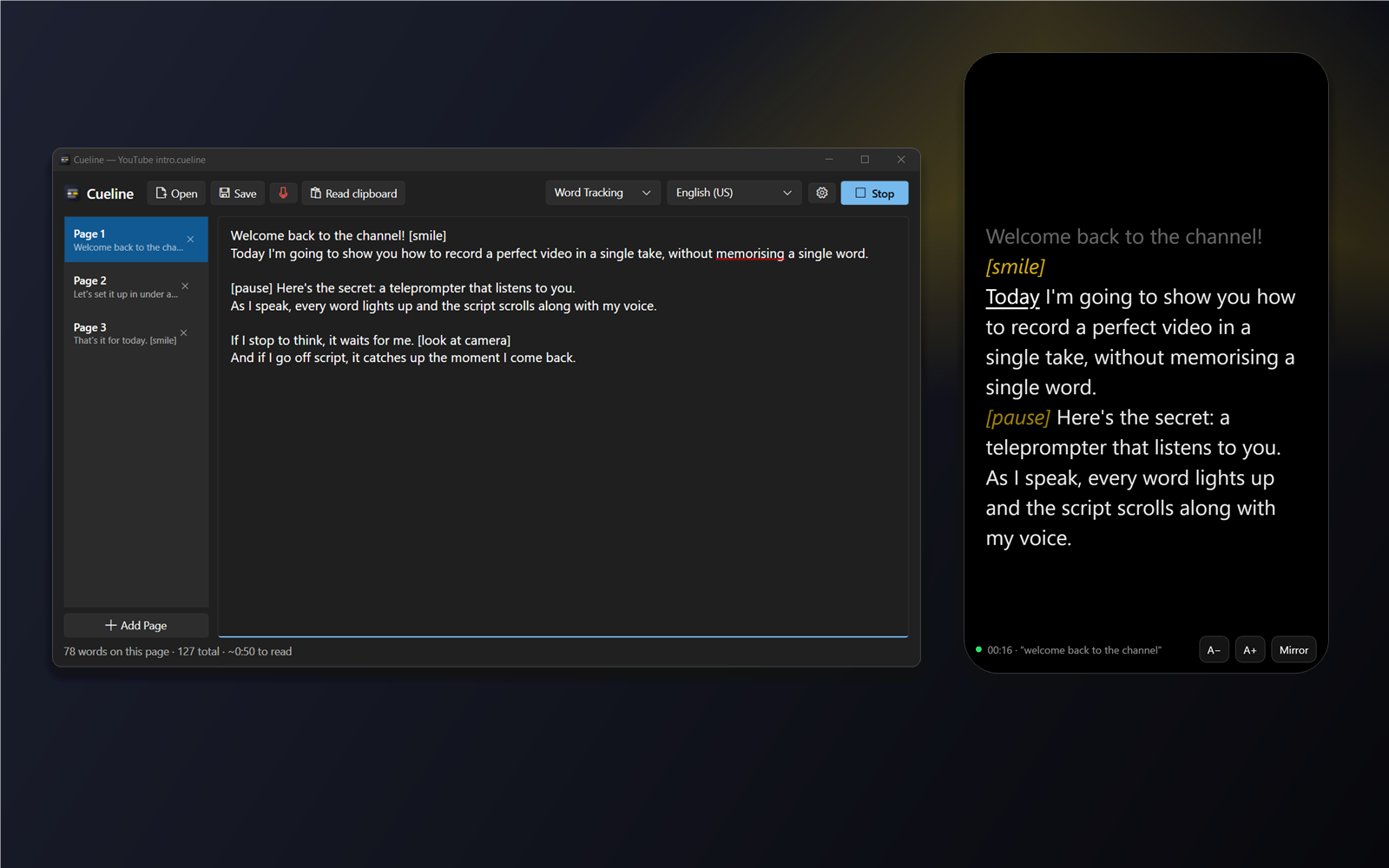
Up and running in a minute
- Paste your script into Cueline, or open a
.txt,.cuelineor PowerPoint file. - Pick your language in the toolbar, for example Hindi, Marathi or English (India).
- Press Start (Ctrl+Enter) and read. The first time, click Allow for the microphone.
Simple pricing
One-time purchase · Try free for 7 days
- All features, all languages
- Use on your Windows PCs with the same Microsoft account
- Free updates through the Microsoft Store
- No account, no ads, no subscription
Get it from the Microsoft Store
Prices in other countries are set by the Microsoft Store in local currency.
Questions
Does it need the internet?
For the best tracking and Indian languages, yes: Cueline uses the speech recognition built into Google Chrome or Microsoft Edge. An offline English engine is also included, and Classic mode needs no microphone or internet at all.
Will people on my video call see the script?
No. Turn on Hide from screen sharing and Cueline is invisible to Zoom, Teams, Meet, OBS and screen recorders. (A camera pointed at your screen would still see it.)
Can I use it on more than one PC?
Yes, on your Windows PCs signed in to the Microsoft Store with the Microsoft account that bought it.
Which Windows versions are supported?
Windows 10 version 2004 or later, and Windows 11.